SSH Login
When the user's network environment includes a DHCP server capable of assigning IP addresses to downstream devices, the system can be accessed via SSH.
Hardware Preparation
- Mainboard: A8550PF1
- Power Supply: DC12V 5A Power Adapter
- Input Device: USB Type-A to Type-C Cable
- Communication Device: Standard Ethernet Cable
Software Preparation
Please refer to the Tool Installation section to install the following essential tools. If already installed, you can skip this step.
- USB Driver Installation
- ADB Tool Installation
Boot the Board
The board comes pre-installed with the LE system by default. After powering it on with the 12V power adapter, the board will automatically boot into the system.
Booting process: The RGB indicator light will show a solid red light.
Use the USB Type-A to Type-C cable to connect the Type-A end to a USB port on the Windows computer and the Type-C end to the Type-C port on the board.
System booted successfully: The RGB indicator light will show a solid green light, and the cooling fan will start spinning, indicating that the system has finished booting.
Obtain IP Address
Connect an Ethernet cable to the WAN port. Refer to the Onboard Interface Description section for the location of interface number 17.
On the Windows computer, press WIN + R to open the Run dialog, type
cmd, and open a terminal window. Then execute the following commands to query the IP address.
adb shell

ifconfig eth0
You will see output similar to the following:
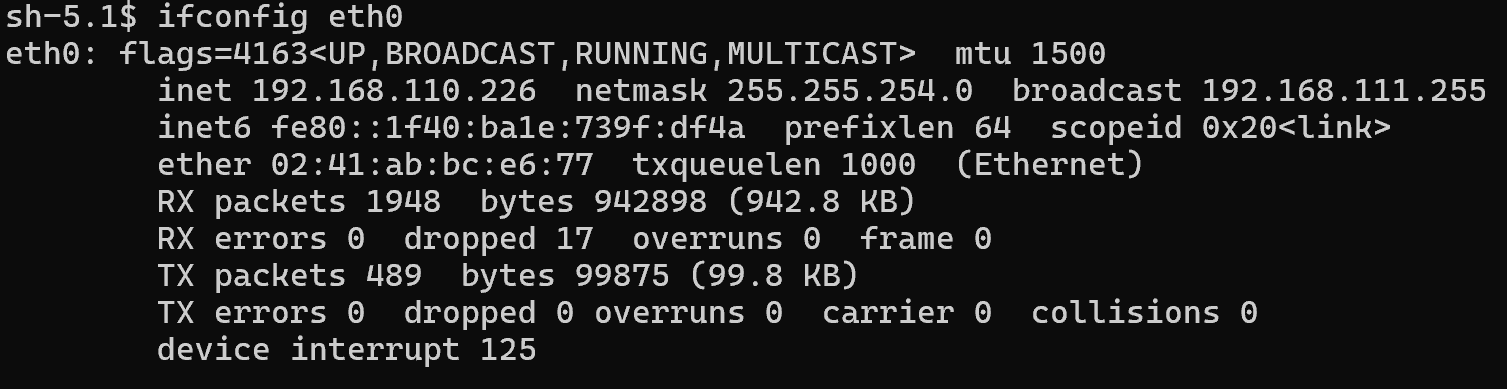
The "inet addr" parameter indicates the device's IP address.
SSH Login
After obtaining the device's IP address, you can log in via SSH using relevant tools as follows:
- On the Windows computer, press WIN + R, type
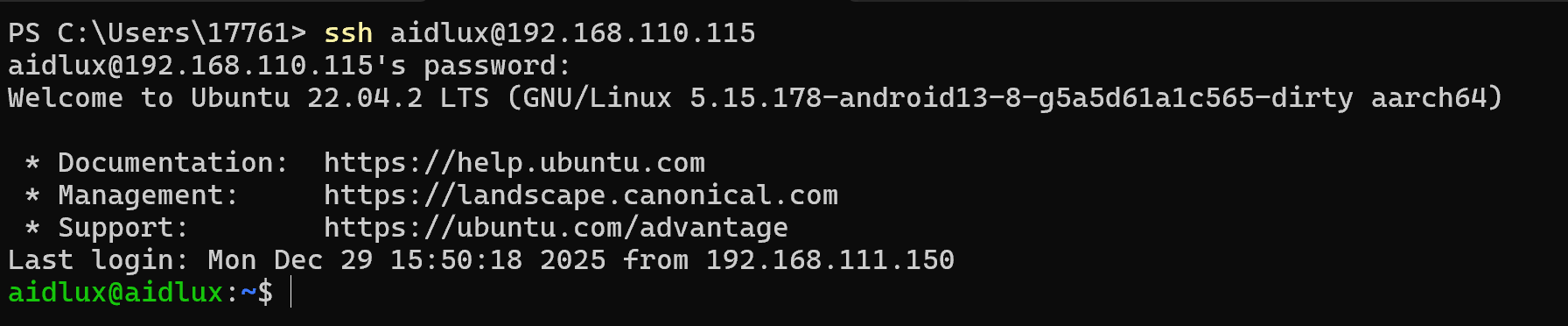
cmd, and open a terminal window. Execute the following command to establish an SSH connection.
ssh aidlux@IPLogin Username/Password: aidlux / aidlux
Using the System
Once the system has successfully booted, developers can officially start using the Ubuntu 22.04 system on the A8550PF1.
💡Tip
If developers need to reflash the system, please refer to: System Installation